


By Chi Wong
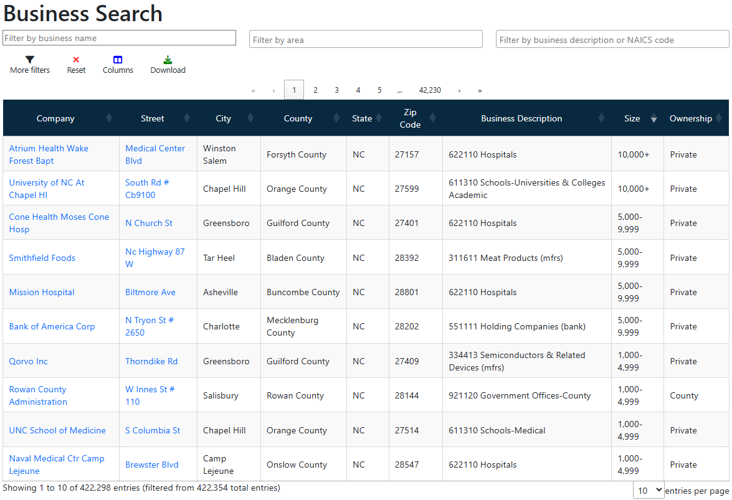
LEAD’s new Business Search tool lets anyone search and download information on more than 420,000 North Carolina businesses. The listings come from Data Axle’s July 2026 Business Directory and include each business’s address, industry (North American Industry Classification System, or NAICS, code), estimated employee count, estimated sales, and more. Here’s what to know before you start.
Common uses of Business Search
- Economic developers: List every business in a target sector within a county or region.
- Educators: Identify partners for work-based learning opportunities to bring to the classroom, whether it’s internships, job shadowing, class speakers or field trips.
- Local governments: Find small businesses in your jurisdiction by employee count or estimated sales.
- Workforce professionals: Find opportunities for new employer relationships and job placement opportunities for WIOA programs and other services.
- Job seekers and residents: Scout potential employers near home, then use website links to look for jobs or more information.
People are also reading…
Business Search tool features
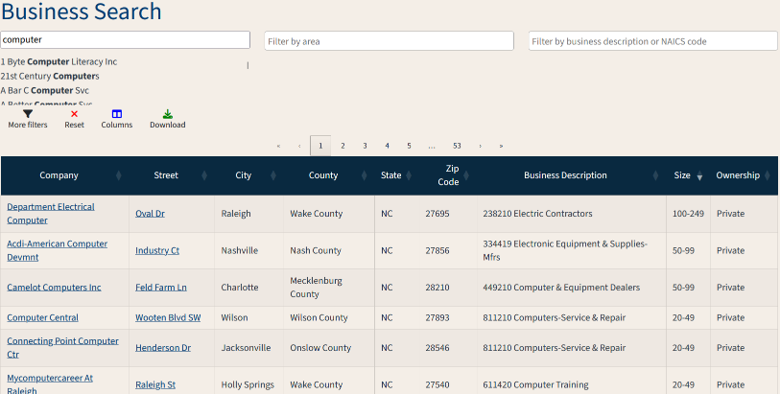
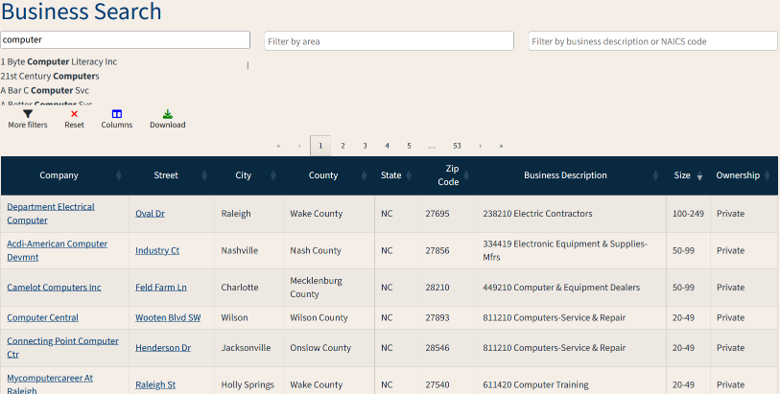
- You can search by industry code or business description. Type a six-digit NAICS code, a NAICS sector’s official title (such as Manufacturing), or a keyword from the business description, with no need to look up a code first. For a two-digit sector code, add a hyphen after it (54-).
- Access on desktop or mobile devices. The table and search bars resize to fit your screen and work the same as on a desktop.
- Search and filters respond as you type. Results narrow with each letter of a business name, and you can filter by areas such as city, county or Workforce Development Board. Business names link to company websites, and addresses open in Google Maps.
- The data come from a different source than LEAD’s Top Employers list. Business Search uses listings from Data Axle, a private data provider that releases new listings every July and December. The Top Employers list draws on administrative records from the Quarterly Census of Employment and Wages (QCEW). Business counts and employee figures will not always match between the two.
- Downloads are limited to 100 records at a time. Data Axle’s licensing sets the cap. The Excel file includes only the columns on screen, so add any fields you need through the Columns menu before downloading.
This content is sourced from . It reflects the author's views and has not been edited by our newsroom. It may have been generated using AI assistance.


