This content is unavailable. Please contact customer service for more information.
Already a subscriber? Login or Activate your account.
You've reached the end of the standard E-Edition.
This content is unavailable. Please contact customer service for more information.
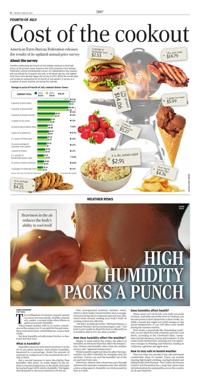
Cost of the cookout
American Farm Bureau Federation releases the results of its updated annual price survey
FOURTH OF JULY
About the survey
Families celebrating the Fourth of July holiday continue to find high prices at the grocery store, based on the 2026 American Farm Bureau Federation annual market-basket survey. an Independence day cookout will cost $73.82 for 10 guests this year, or $7.38 per person, the highest total since Farm Bureau began the survey in 2013. While the survey does not include an exhaustive list of Fourth of July options, it serves as a snapshot of prices families are facing this summer.
HIGH HUMIDITY PACKS A PUNCH
Heaviness in the air reduces the body's ability to cool itself
LANCE SCHULTEIS USA Today
WEATHER RISKS
The scalding heat of summer can pack a punch as soon as you step outside. And like a martial arts combo, a second strike often follows in quick succession: humidity.
When humid weather rolls in, it creates a heaviness in the summer air. It can spoil the fun and sometimes even lead to heat-related illnesses, such as heat stroke.
But does humidity actually make it hotter, or does it just feel that way?
What is humidity?
Humidity measures how much moisture is in the air at any given moment. And relative humidity, measured as a percentage, shows the amount of moisture in comparison to the maximum the air is able to hold.
But a second measure is more descriptive than humidity: dew point. As water lingers in the air, there's a certain temperature, or dew point, that must be reached to get 100% relative humidity. The higher that dewpoint is, the more moisture is in the air.
That unevaporated moisture includes sweat, which is what makes humid weather feel so muggy. Instead of being able to evaporate and cool your skin, sweat sticks around, making your body's built-in cooling system less effective.
"We don't actually get hotter," Michaela Heeren, a National Weather Service meteorologist, said. "Our body is just unable to dispel the heat as efficiently as it would be able to if it was drier outside."
How does humidity affect the weather?
Similar to wind chill in the winter, the effects of humidity are felt more than they affect the temperature. Heeren said humidity alters what the weather service calls "apparent temperature."
While humidity might not directly affect the heat, weather can affect humidity by sweeping away the moisture. Storms can suck the humidity out of the air and turn it into rain.
Otherwise, Heeren said, a front may pass through and move the moisture somewhere else. But without a force acting upon it, humidity can stick around for days at a time.
Does humidity affect health?
When sweat can't do its job, your body can easily overheat. And when your body starts to overheat, you become prone to heat exhaustion or heat stroke. So, while a humid day might not yield changes to the actual temperature, it can still affect your health during the summer months.
Heat stroke, a potentially life-threatening condition, occurs when the body overheats and can't cool down, according to the Cleveland Clinic. Symptoms include dizziness, nausea and weakness. It also causes brain dysfunction, meaning you can experience changes to thinking and behavior, leading to confusion, agitation and aggression.
How to stay safe in humid weather
There are steps you can take to stay safe and remain comfortable when it's humid. These can include wearing lightweight clothing, staying hydrated and taking breaks from the heat. The Centers for Disease Control and Prevention has a map that shows heat risk information for communities across the country at cdc.gov/heatrisk.
Click and hold your mouse button on the page to select the area you wish to save or print.
You can click and drag the clipping box to move it or click and drag in the bottom right corner to resize it.
When you're happy with your selection, click the checkmark icon next to the clipping area to continue.